

Use a computer, not your phone. Have your Google email and password, plus the email address you want to add. Free, and nothing here can break your site.
Find your account
Tag Manager is the one nobody remembers having. It never emails you, so nothing jogs your memory. There are really two questions here: is it on your website at all, and can you get into it.
You can answer the first question right now without signing into anything. Open your website in Chrome, right click anywhere on the page, and choose View page source. A wall of code opens. Press Ctrl and F together, type GTM- and press Enter. If it finds something, Tag Manager is on your website. If it finds nothing, it is not. Either way, carry on below, because installed and yours are two different things.
Go to Tag Manager
Open your web browser and go to tagmanager.google.com. There is no separate login page. If you are already signed into Google it takes you straight to your accounts. Sign in first only if it asks.
Do you see your site?
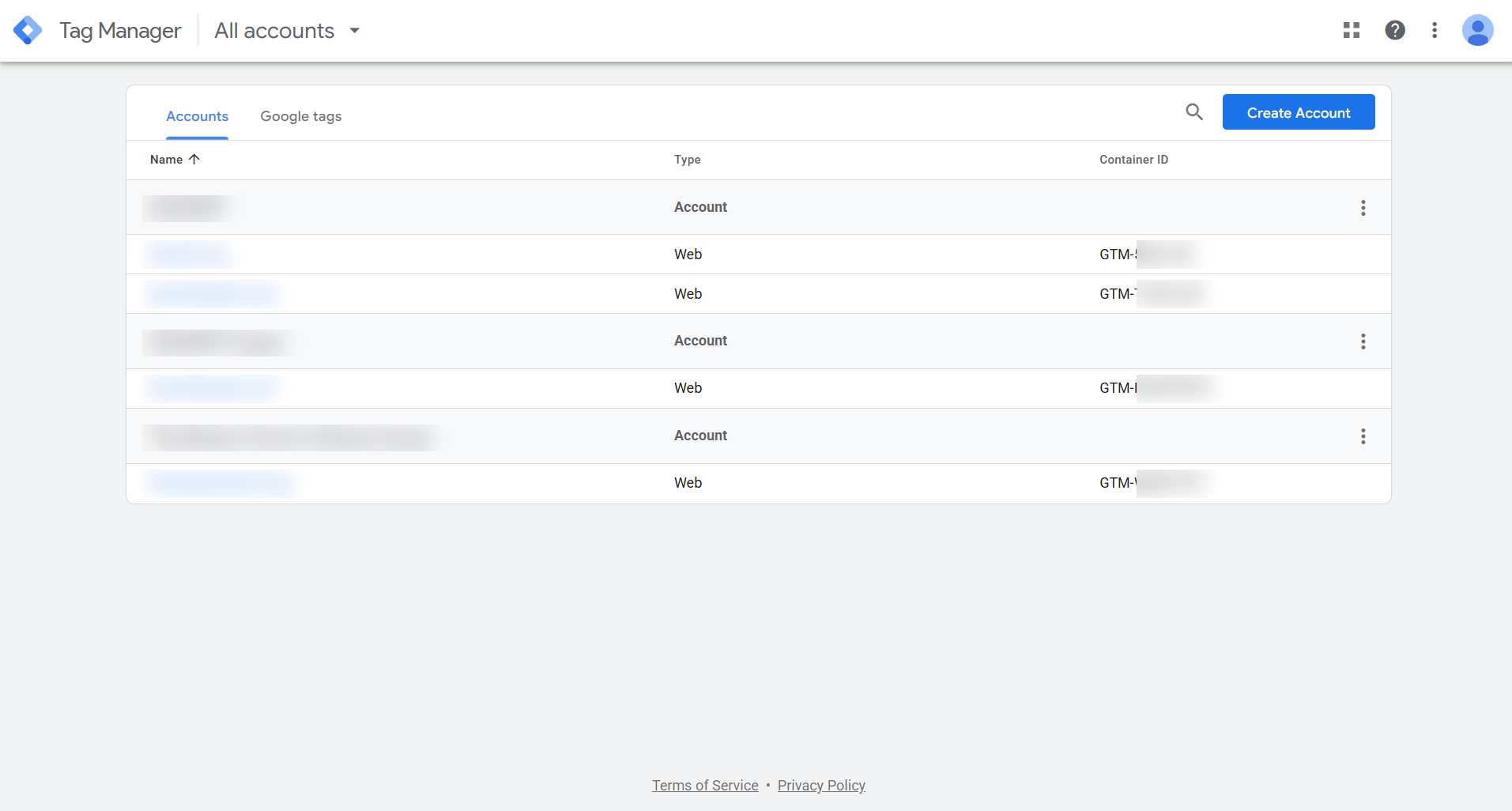
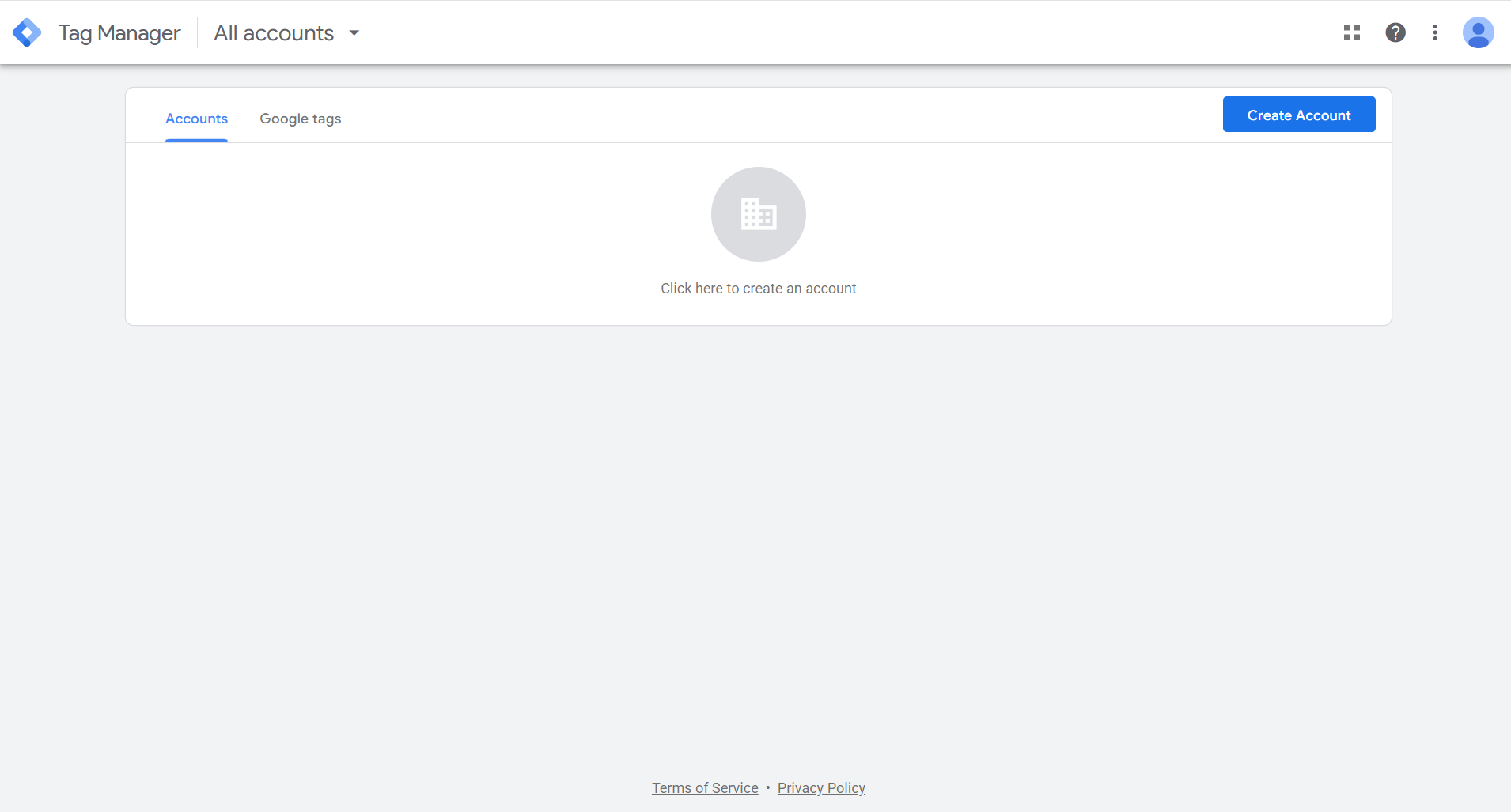
Click the option that matches your screen.
 Click to enlarge
 Find your website in the list. The ID starting GTM- next to it means you have it, and it is yours. Click your website to open it, then carry on to section 2 below and share it with us.
 Click to enlarge
 There is nothing set up under this login, and what that means depends on your thirty-second check above. If it found a GTM- number on your site, then Tag Manager is installed but sits in someone else's account, usually your web designer's. Ask them to add your email as an Administrator rather than making a second one. If your check found nothing, there is no container yet and one needs to be made.
Do not create one. Just let me know, and we will set up Tag Manager for you, in your name.
First, double check your other Google logins. Click the circle with your initial or photo in the top right corner and look through the accounts listed. Tag Manager is often under a login you would not expect.
Add another user
Now share it with us. Carry on from this screen. There are four steps. The fiddly part is that Tag Manager asks for two permissions at once, one for the account and one for the container, and both are set in the same box.
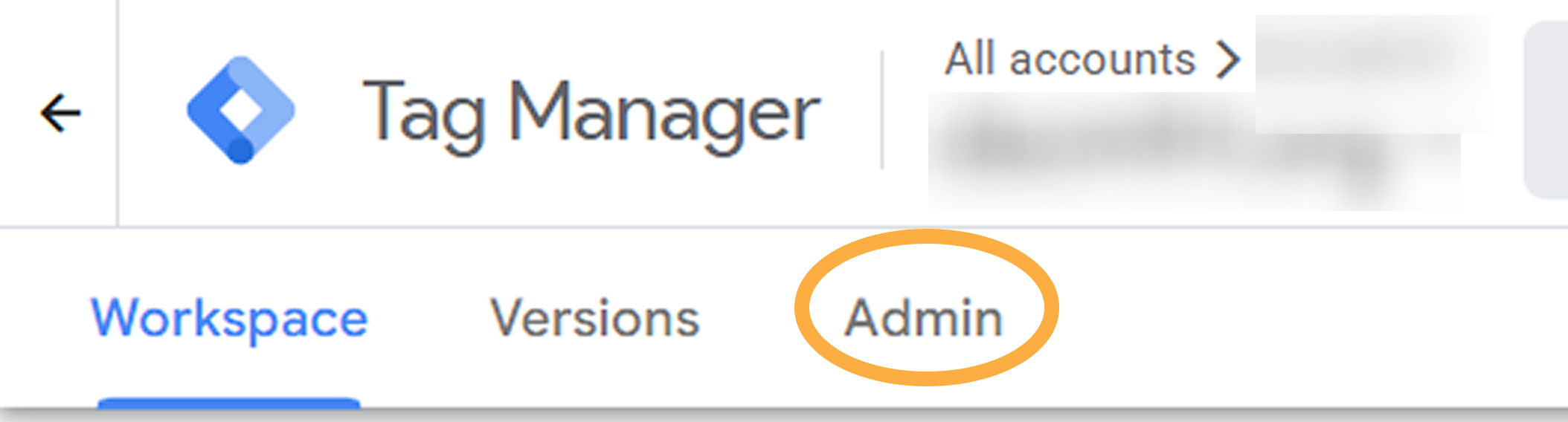
Click Admin along the top
Look at the row of words across the top of the screen: Workspace, Versions, Admin. Click Admin. Every other Google product hides this behind a gear in the corner, which is exactly why people struggle to find it here.
 Click to enlarge
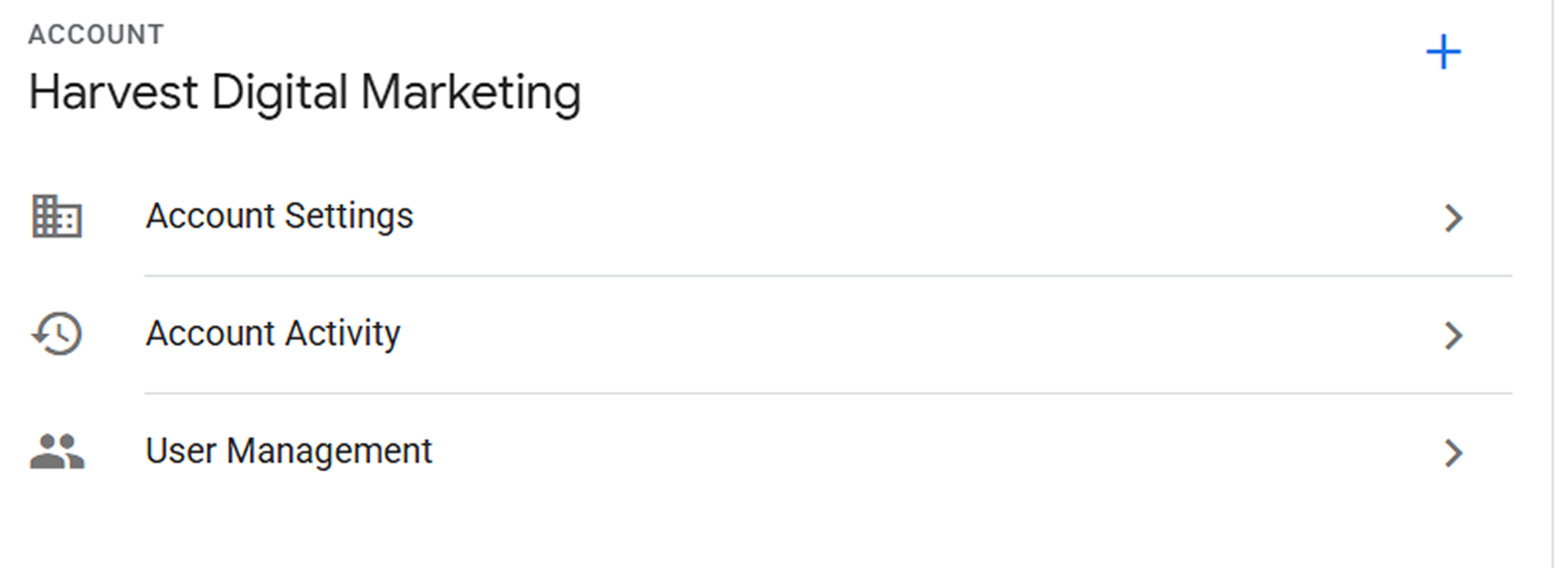
 Open User Management, under the Account column
You will see User Management listed twice. Click the one under the Account column on the left, not the Container column on the right. The Account one lets you set both permissions in one go.
 Click to enlarge
 Click the blue plus, then Add users
The plus is in the top right of the panel. Click it, then click Add users, and type in the email address you want to add.
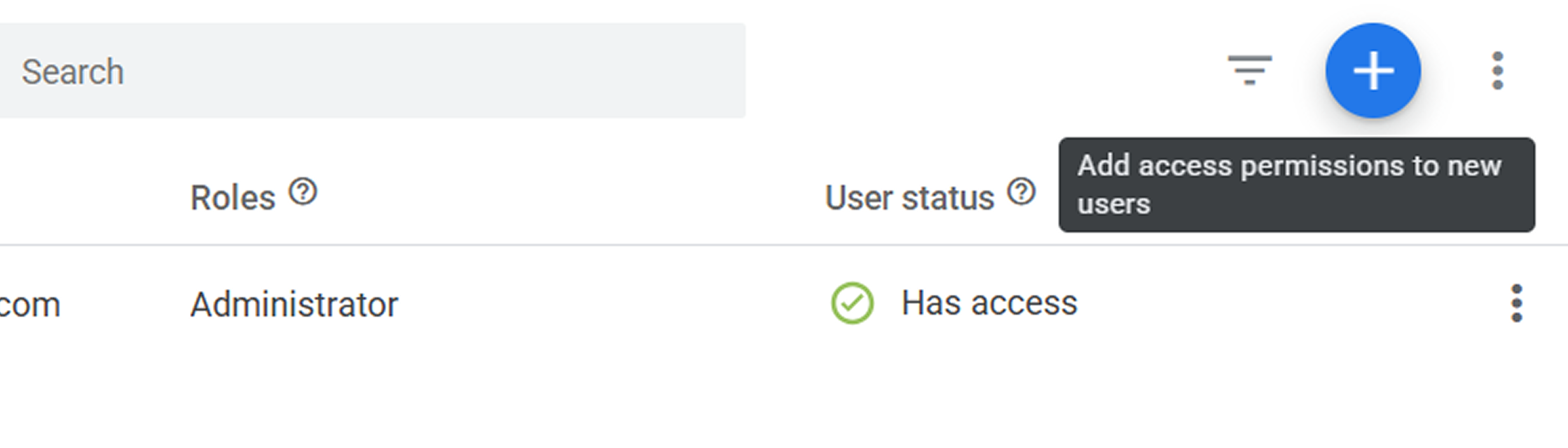 Click to enlarge
 Tick User, set the container to Publish, then Invite
Two settings live in one box. Under Account Permissions, tick User. Then look further down for your website's container and set it to Publish. Click Invite.
The box holds the account half at the top and the container half underneath, so do not stop at the first tick. To change the container from Read to Publish, click the permission circled below.
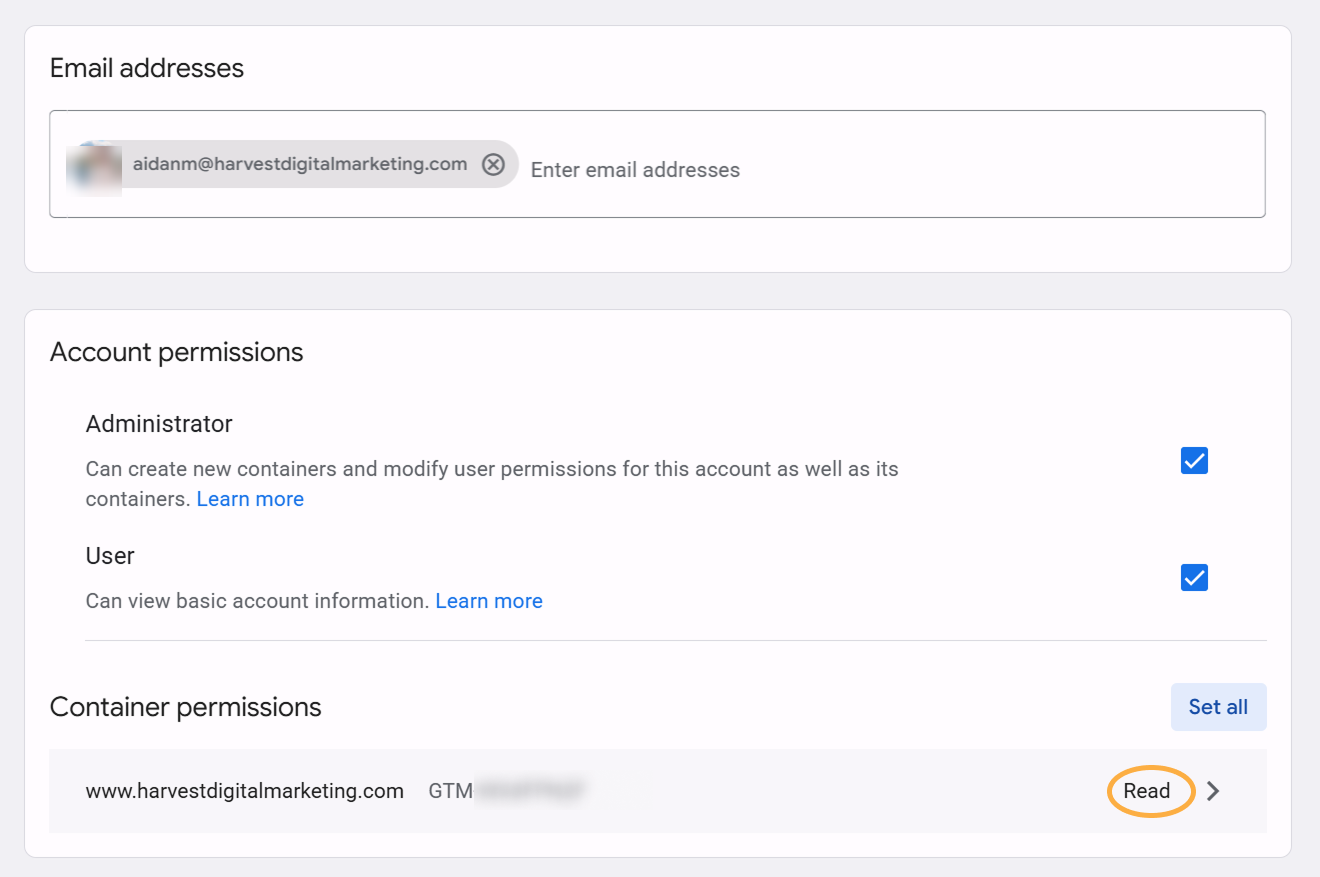 Click to enlarge
 That opens these levels. Pick Publish, then click Invite.
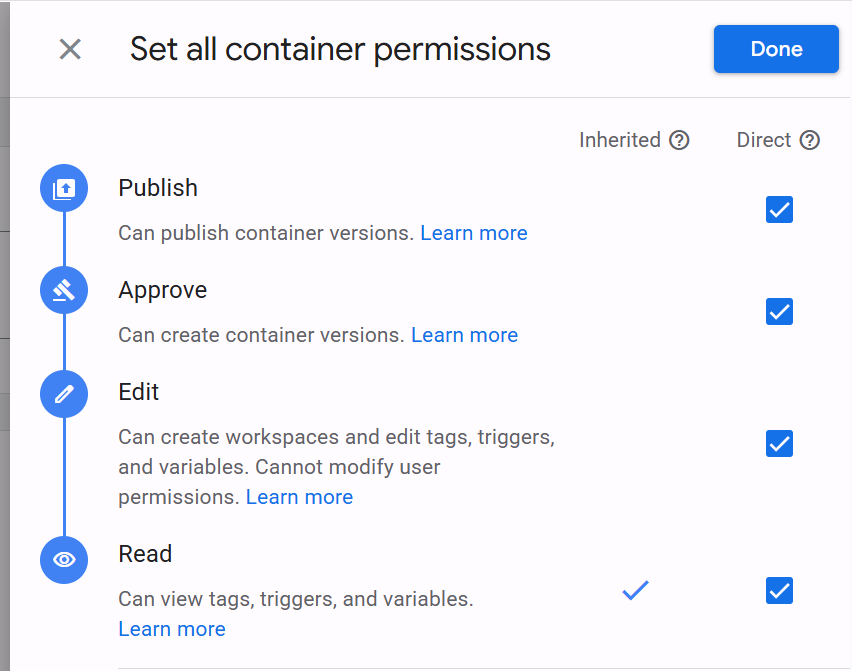 Click to enlarge
 Their email shows in the list, marked pending until they accept the invite from their email. Still pending tomorrow? Tell them to check spam.
Why Publish, and is it safe?
Container permissions come in steps. Read looks. Edit builds but cannot switch anything on. Approve prepares changes. Publish makes them live. Anyone installing tracking needs Publish. Less, and they build things that never go live and come back to you to press the button every time.
Is it safe? It is real access: publishing changes what runs on your site, so only give it to someone you hired. The safety net is good, though. Every change is saved as a numbered version with who changed what, and rolls back with one click.
Account level Admin manages people. That stays with you.
How to remove them later
Open Admin, then User Management. Click the person you want gone and remove them. You do not need their permission, and everything they built stays exactly where it is, because the container is yours.
Never give anyone your Google password. Access is by email invite, per permission level. Keep account level Admin inside your business, and the container stays yours no matter who works in it.
Every website we build ships with tracking wired in from day one, so guides like this one take care of themselves. See how we build: website design for the trades.
Still stuck? Reach out and we will work through it together on a quick screen share.