

Use a computer, not your phone. Have your Google email and password. Not sure which account your ads run under? Search your inbox for Google Ads emails; whichever address they land in is the one. Free, and nothing here changes your billing.
Find your account
Google Ads works a little differently. You do not add anybody. You find a number, send it over, and approve the request that comes back. This takes about two minutes.
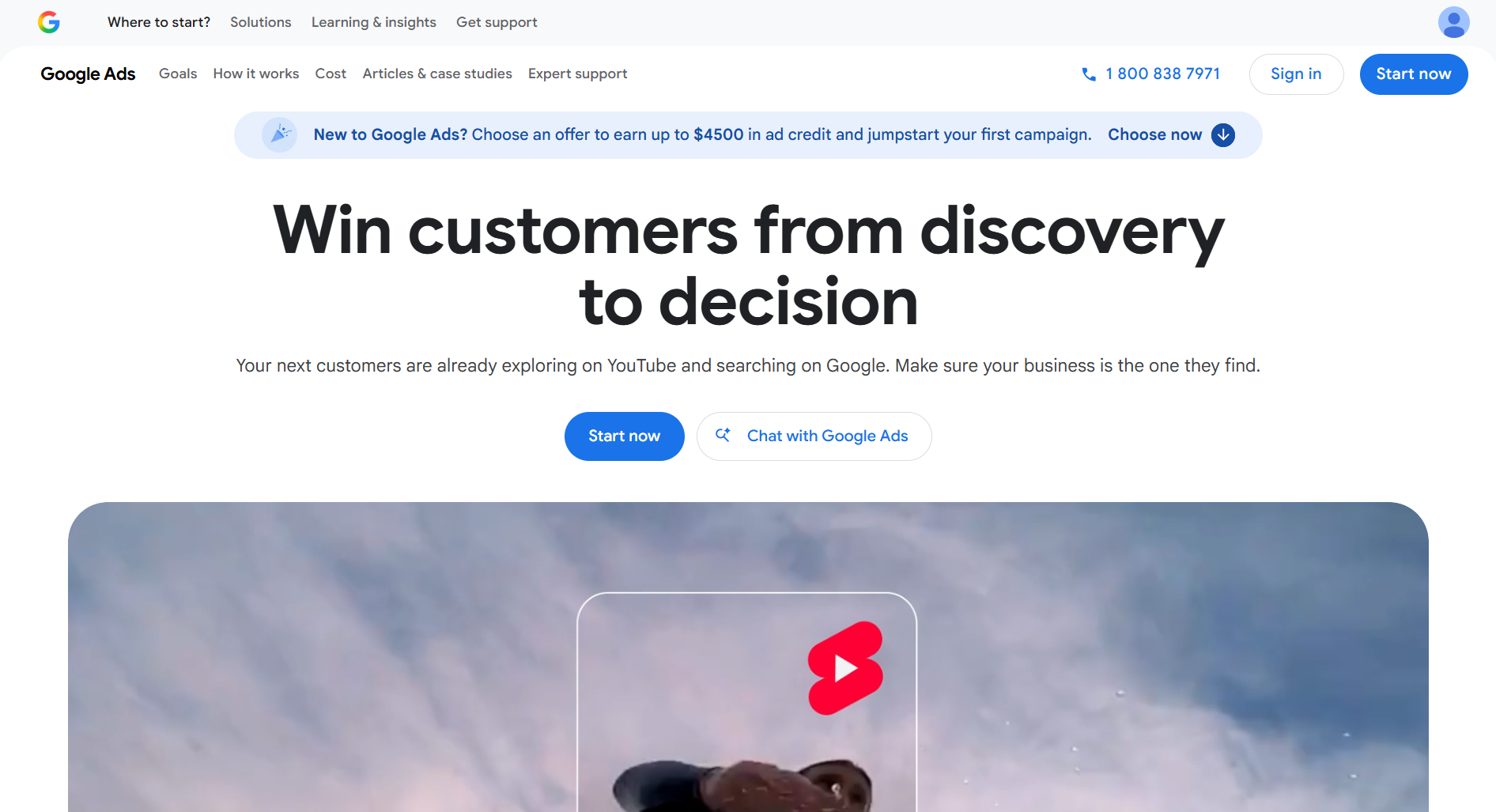
Go to Google Ads and sign in
Open your web browser and go to ads.google.com. Click Sign in in the top right corner and log in with your Google account.
 Click to enlarge
 Once you are in, what do you see?
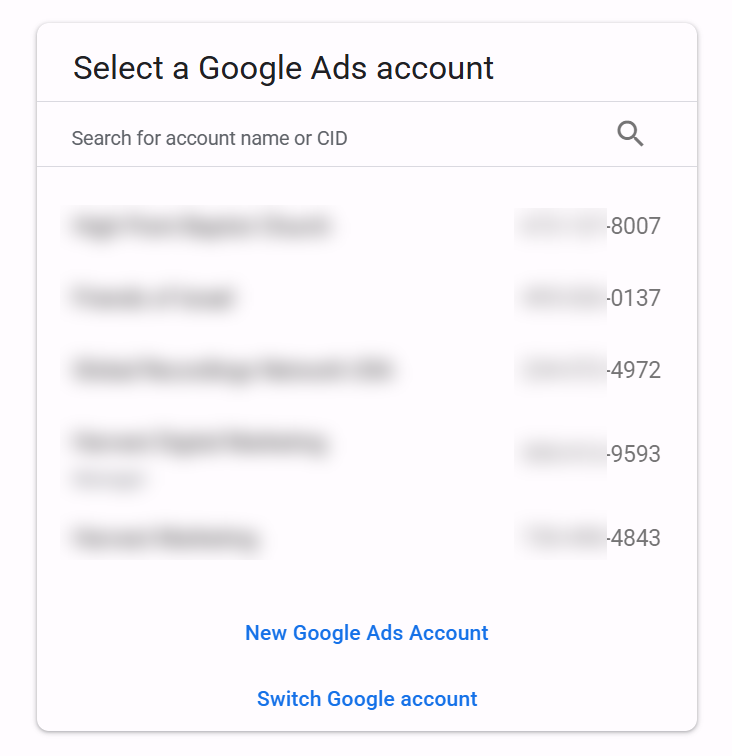
Click the option that matches your screen.
 Click to enlarge
 You have an account. If you see this picker, your customer ID is the ten-digit number beside each business name, in the format 123-456-7890. Grab yours right from there. If you only have one account you skip the picker and land straight inside it.
Once you are inside, your customer ID sits in the top right corner. If you do not see it there, click the Help icon, the question mark, and it shows at the bottom of that menu.
 Click to enlarge
 Copy the whole thing, dashes and all, and send it to whoever will run your ads. It is safe to send: on its own it cannot get anyone into your account. It only lets them send you a request, and that request does nothing until you approve it.
Once you have sent that number, carry on to section 2, where you approve the request that comes back.
 Click to enlarge
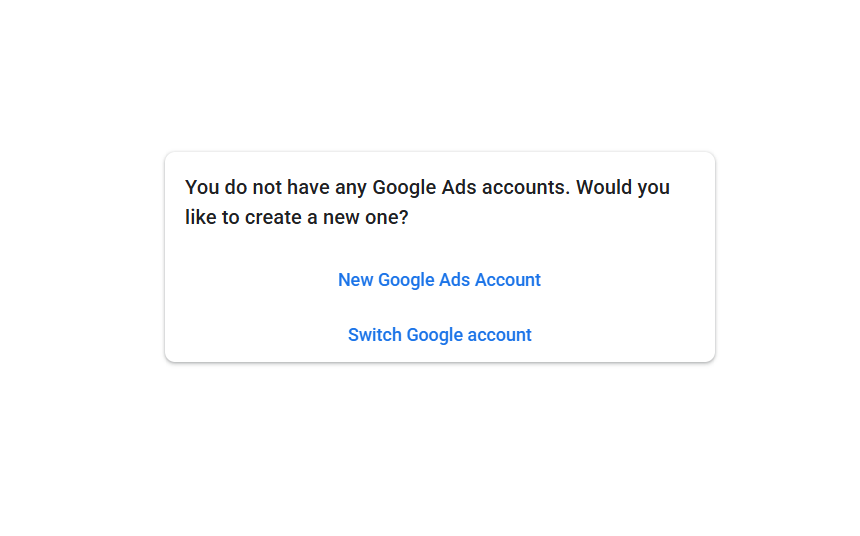
 There is no account here yet, so one needs to be made.
Do not create one. Just let me know, and we will set it up under your email with your own billing, so it stays yours.
First, double check your other Google logins. Click the circle with your initial or photo in the top right corner and look through the accounts listed. The ads are often under a login you would not expect.
Whoever runs your ads should work inside an account you own, never one they own themselves. If you part ways, an account they own goes with them, and so does every bit of history that taught Google who your customers are. You would lose the campaigns and everything the account learned, and start again from zero somewhere else.
Approve their request
Once the request is sent to you, you approve it. There are two ways, and the first is quicker.
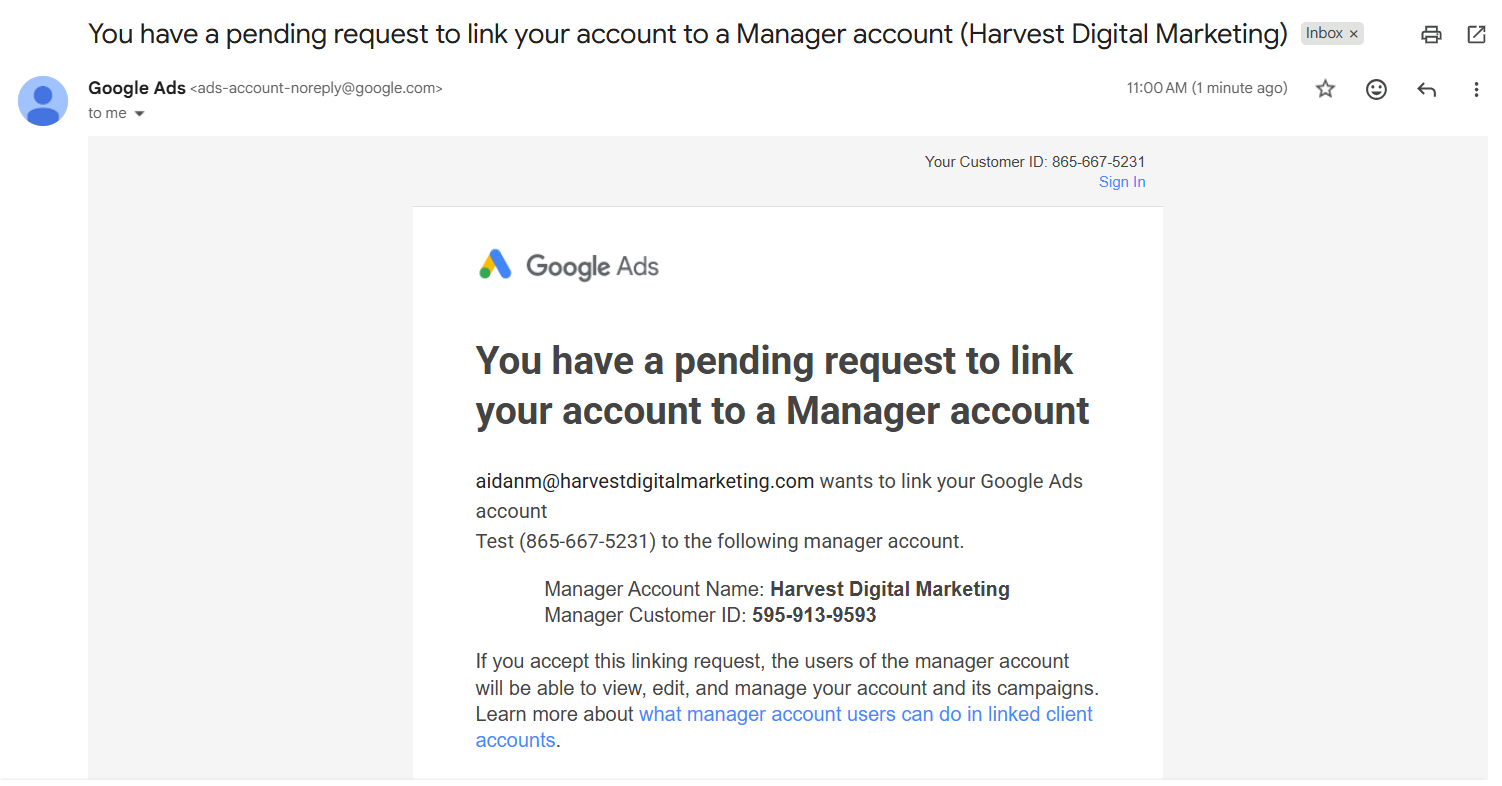
The quick way: accept it in the email
Google emails you the moment the request is sent. Open that email and click Accept request. That is you finished. If the email never turns up, check your spam folder, then use the way below instead.
 Click to enlarge
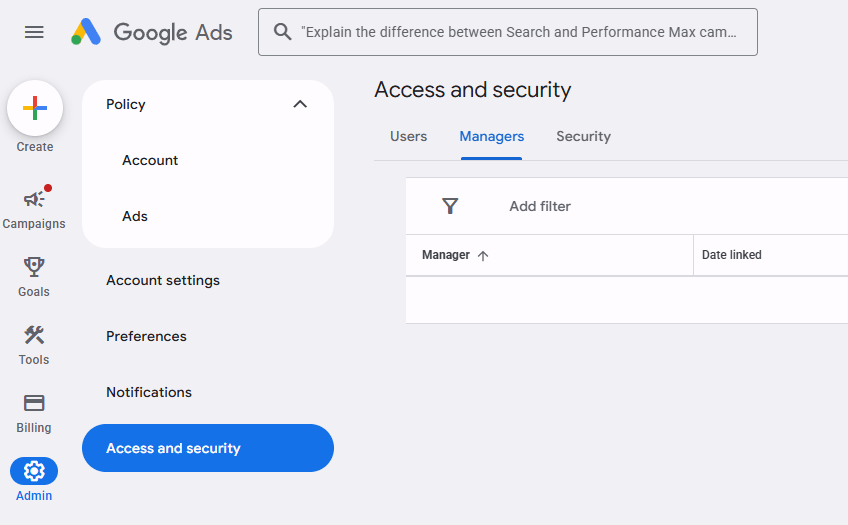
 Or open Admin, then Access and security
Click Admin, the gear icon in the bottom left corner, then click Access and security.
 Click to enlarge
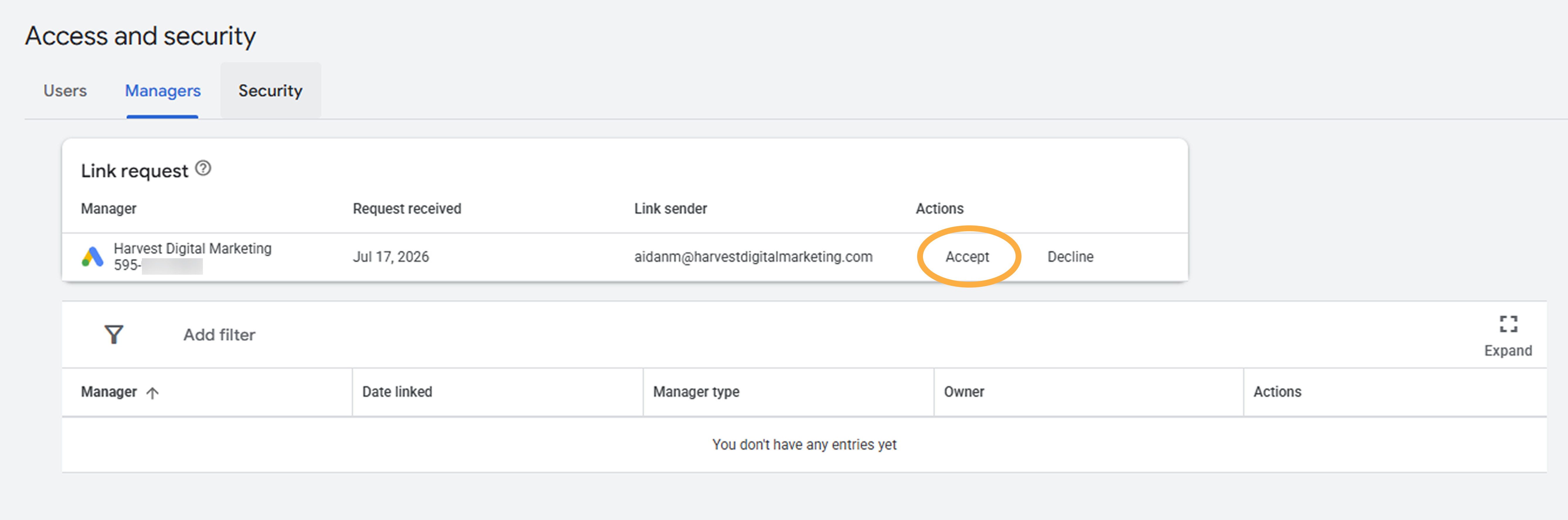
 Open the Managers tab and accept
The tabs run across the top of that page. Click Managers. The request is sitting there waiting for you. Click Accept, and that is the whole job.
 Click to enlarge
 Check they are listed
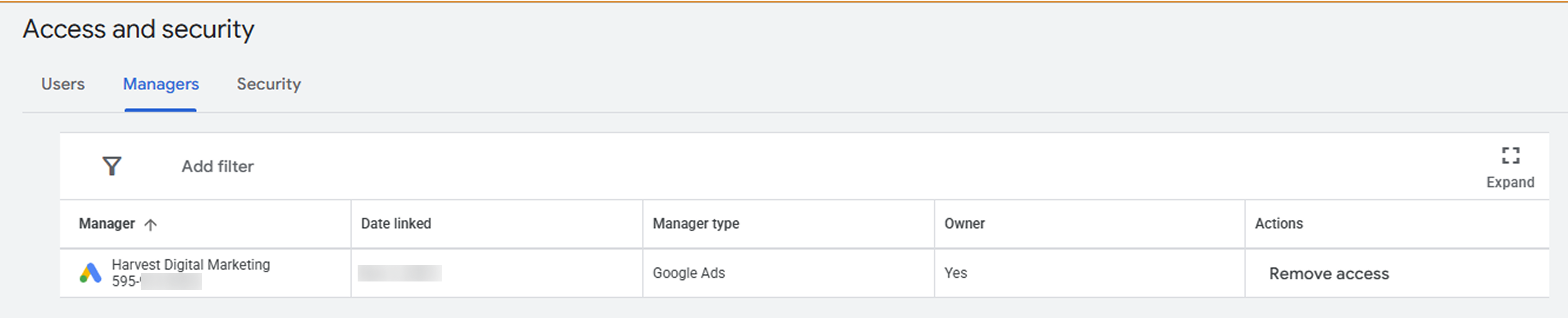
Google sends a confirmation email, and they show on your Managers list. Below is what that looks like once connected.
 Click to enlarge
 They show on the Managers tab with the link active, and Google emails a confirmation. Your billing does not change and linking costs nothing. Tell them it is done.
What they can and cannot do
Once linked, they build and change campaigns, move budgets and bids, and see all your data. That is the point.
What they cannot do: see or change your password, or move your payment method. Every edit is logged in change history with a name and time, so nothing happens quietly.
How to remove them later
Open Admin, then Access and security, then the Managers tab. Find them and remove the link. It happens instantly, you do not need their permission, and every campaign they built stays, because the account is yours.
Never give anyone your Google password, and never let your account sit under a billing profile you do not control. Access can be granted and taken back. Ownership and billing should never leave your hands.
Still choosing a partner? Here is how we run it: lean budgets, tracking verified before launch, and reporting you can actually read. Google Ads for the trades.
Still stuck? Reach out and we will work through it together on a quick screen share.