

Use a computer, not your phone. Have your Google email and password, plus the email address you want to add. Free, and nothing here can break your site.
Find your account
You just came on board, so the first job is getting us into your account. Find it, then share it. This takes about two minutes.
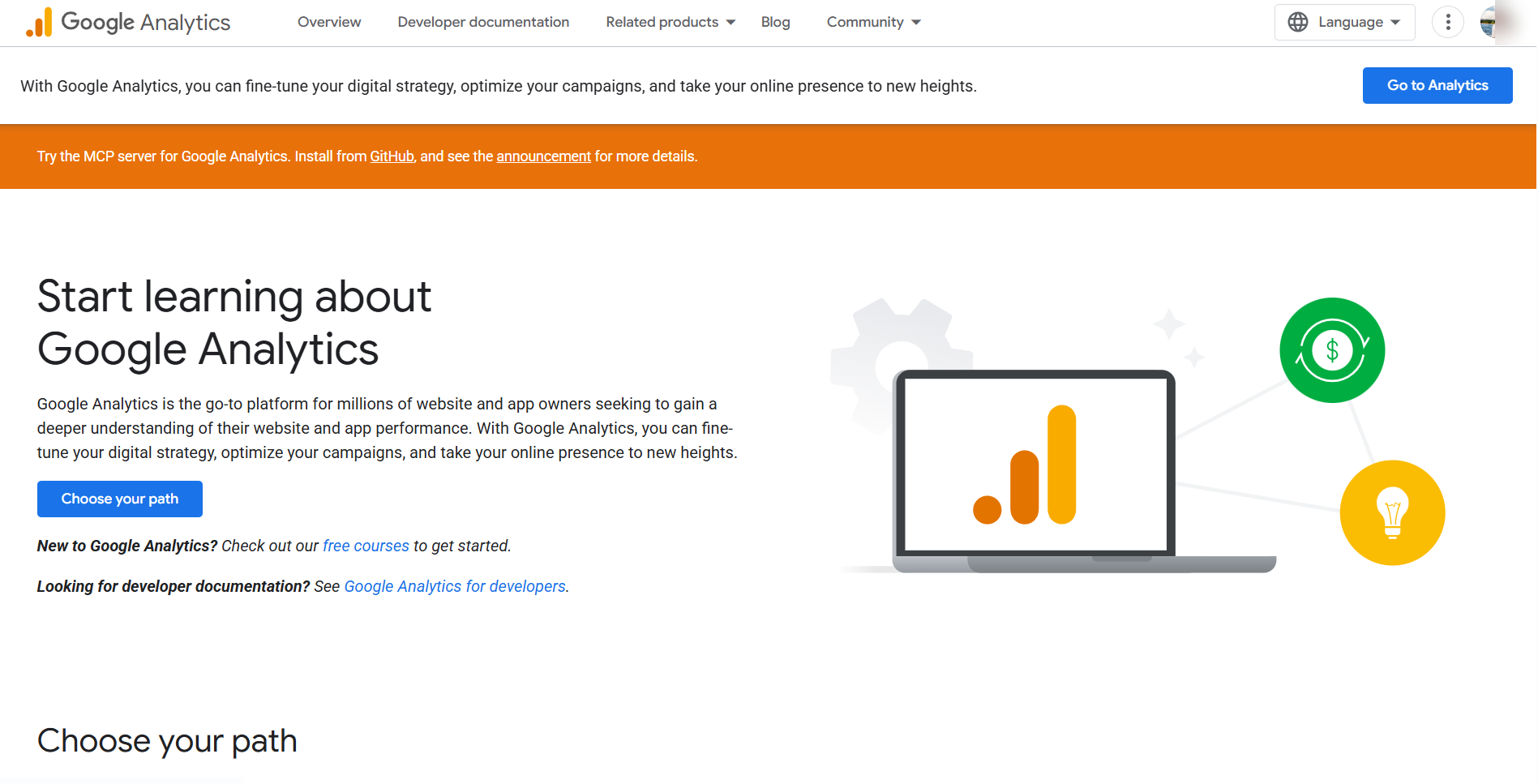
Go to Google Analytics and sign in
Open your web browser and go to analytics.google.com. Click Sign in in the top right corner and log in with your Google account.
 Click to enlarge
 Once you are in, what do you see?
Click the option that matches your screen.
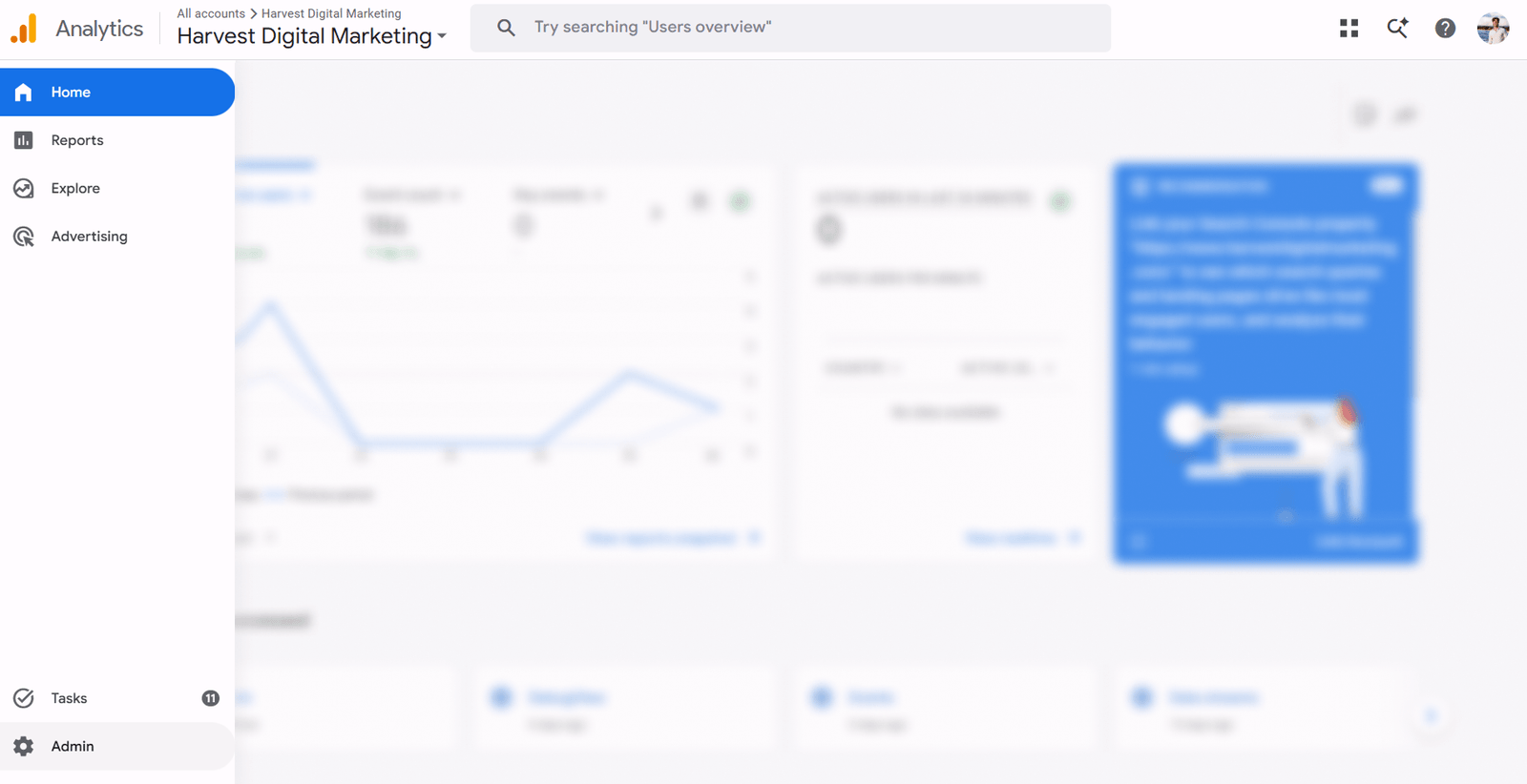 Click to enlarge
 You have an account, and it is ready to go. Carry on to section 2 below and share it with us.
 Click to enlarge
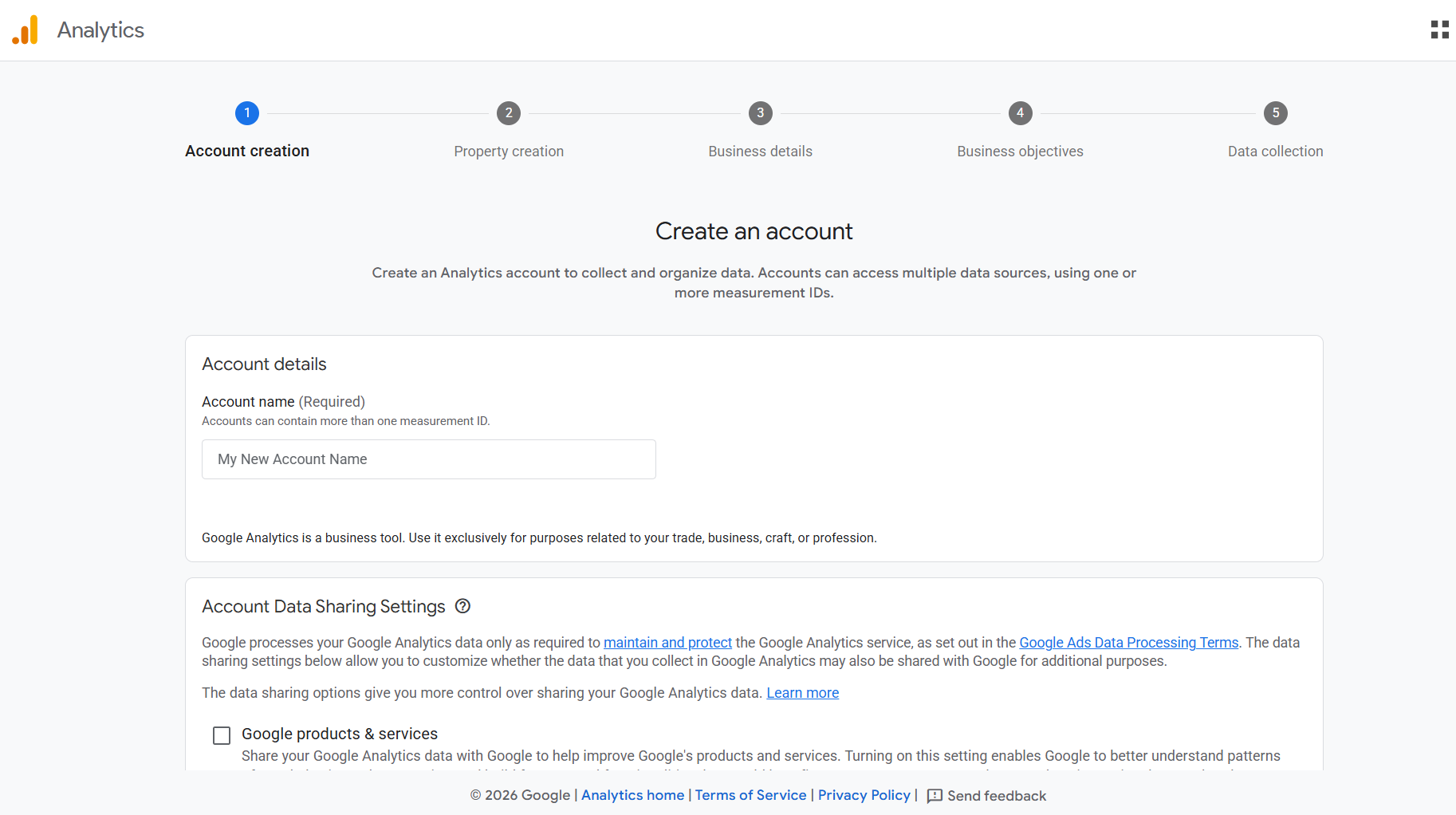
 This is the create an account screen. It means there is no account here yet, so one needs to be made.
Do not create an account. Just let me know you need one, and we will create it for you, in your name.
First, double check your other Google logins. Click the circle with your initial or photo in the top right corner and look through the accounts listed. Analytics is often set up under a different login than the one you expected.
 Click to enlarge
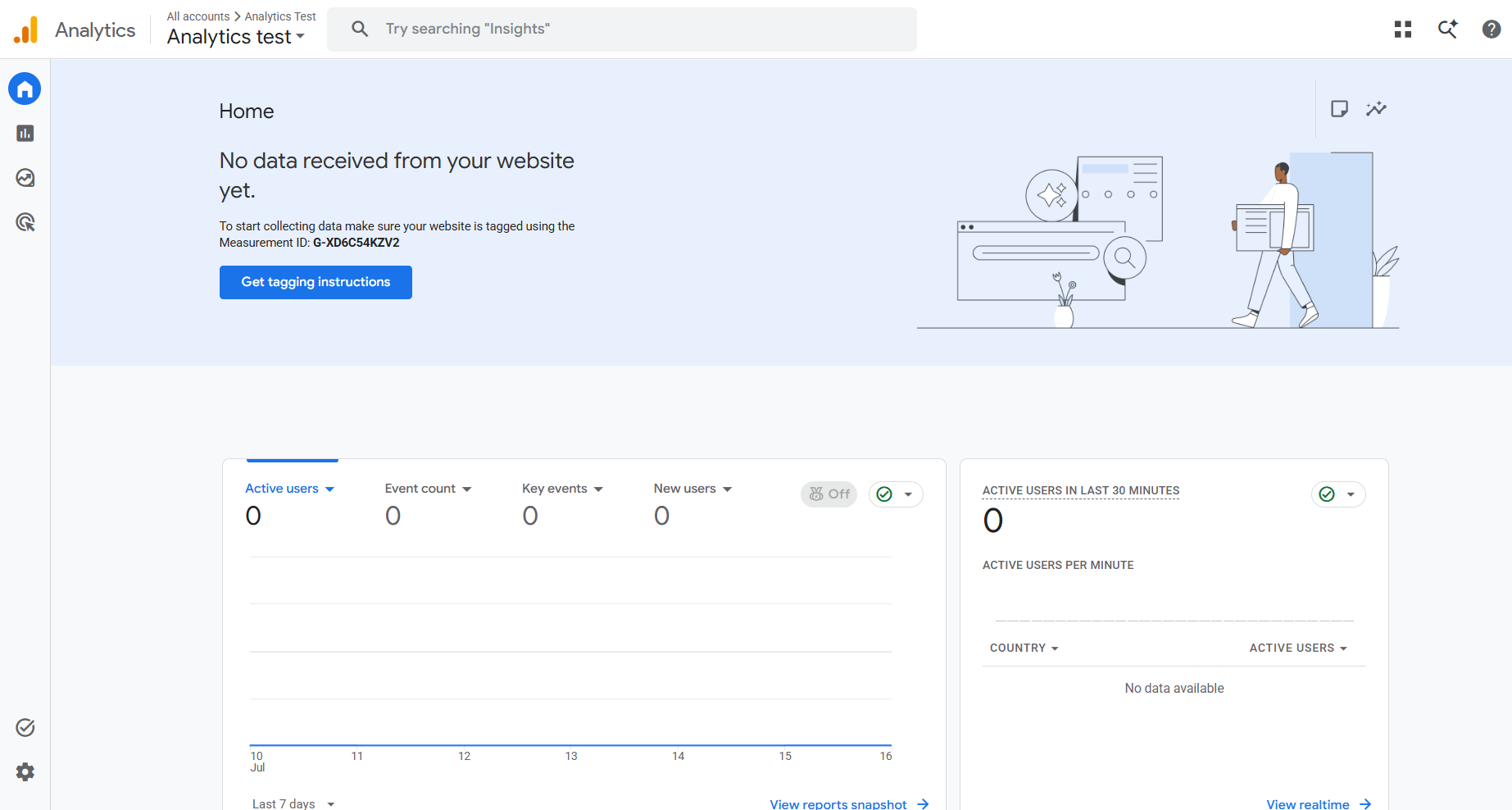
 You have an account. It just is not set up on your site yet, so no data is coming in.
You already have an account, so you are set. Carry on to section 2 below and share it with us. We will either use this one or make a new one, and get the data streaming.
Add another user
Now share it with us. Stay on the same screen you just found. This is four clicks and one email address.
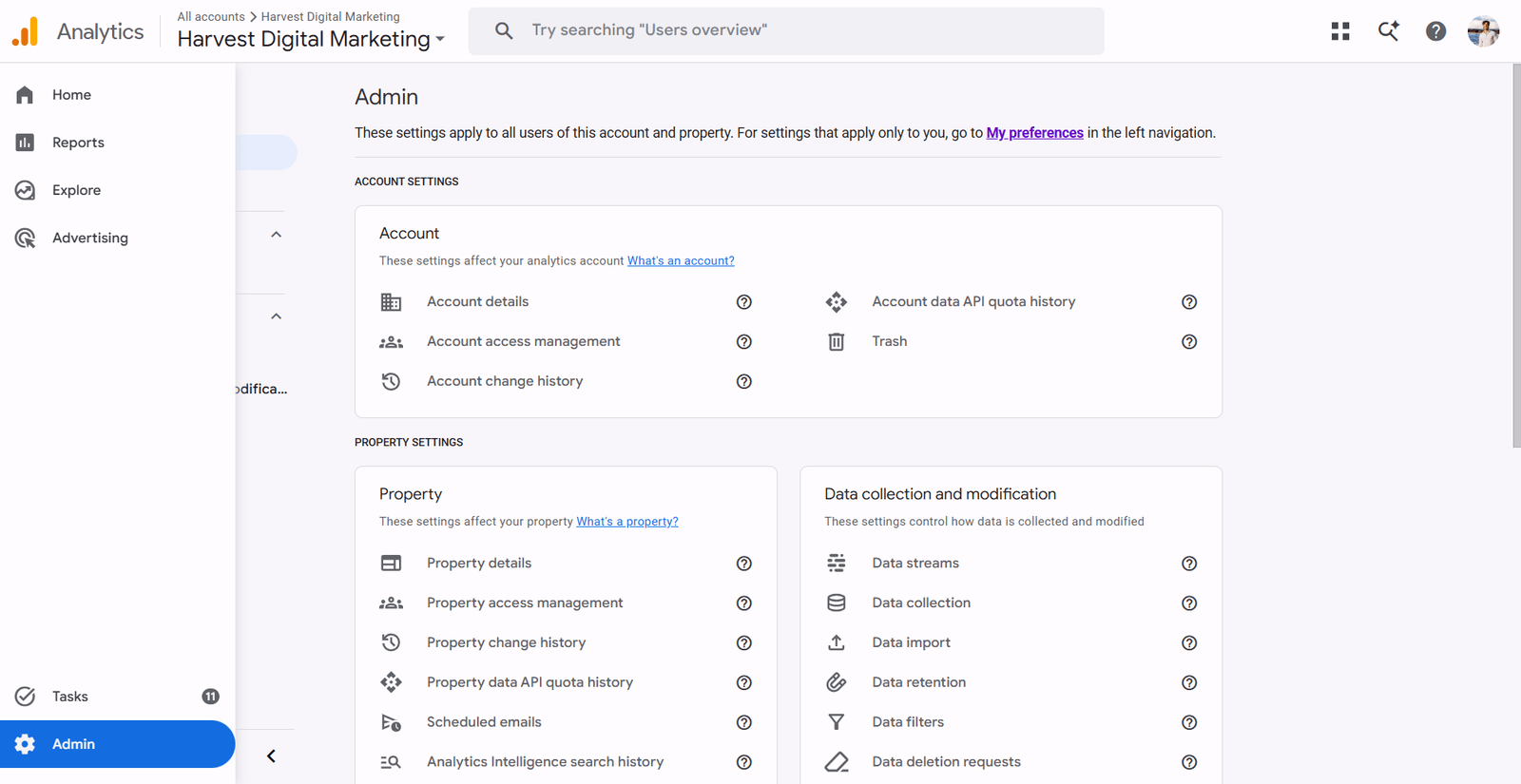
Open the Admin settings
At the very bottom of the menu down the left side, click Admin. It is the small gear icon. This opens a settings screen split into columns.
 Click to enlarge
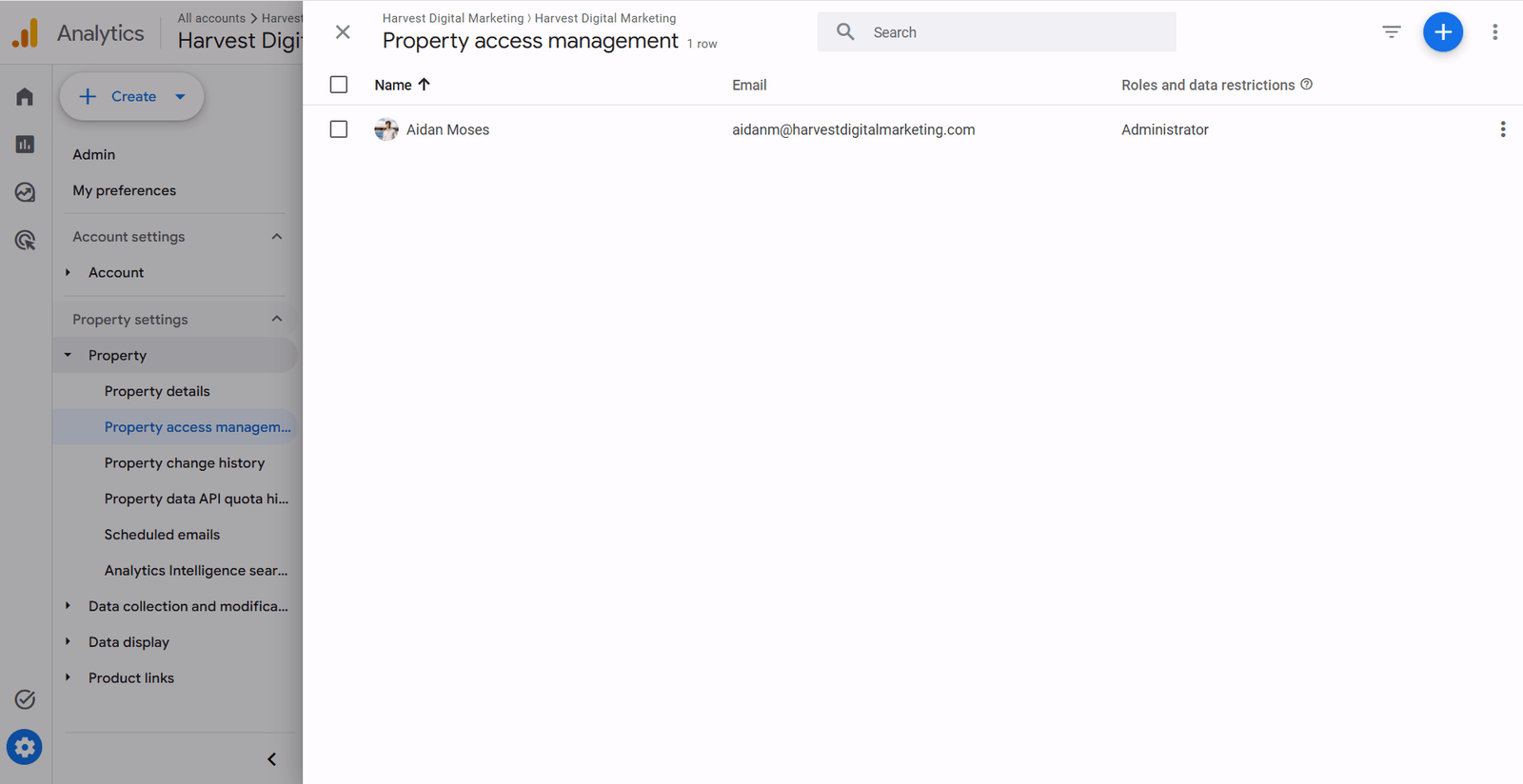
 Open Property access management
You will see the words access management twice. Click the one under the Property column, not the Account column.
 Click to enlarge
 Add a new user
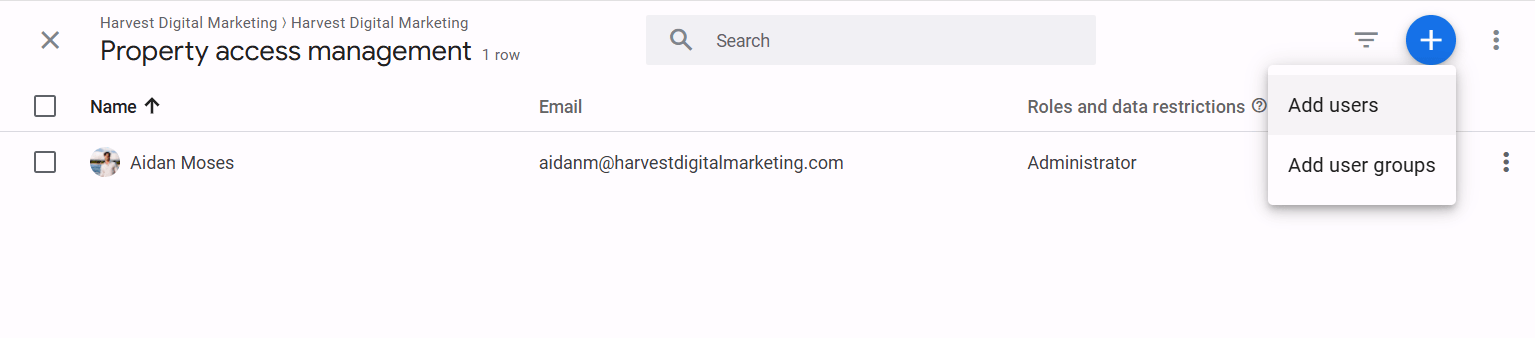
In the top right of the panel, click the blue plus button, then click Add users. Type in the email address you want to add.
 Click to enlarge
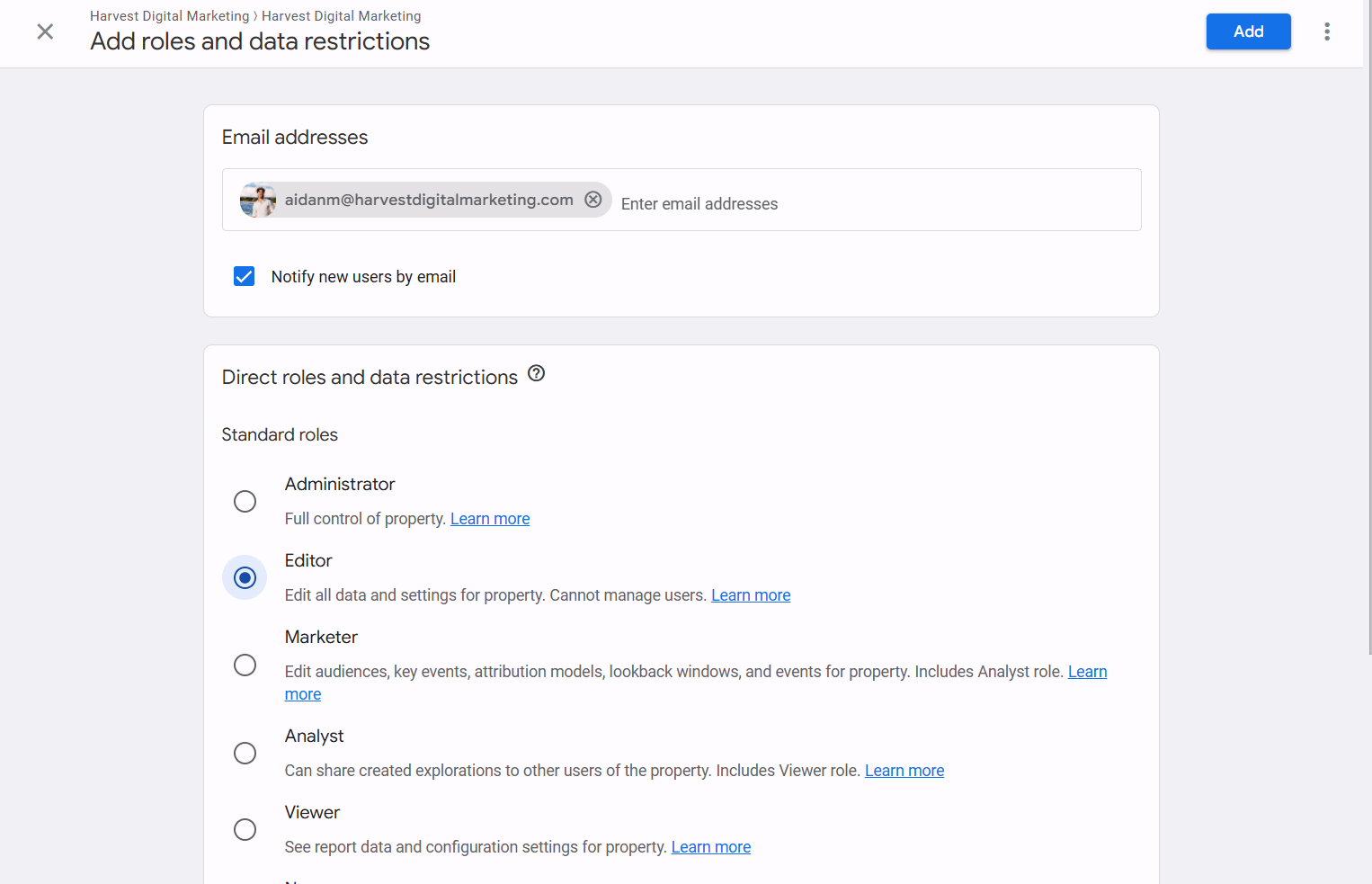
 Give them Editor access
Tick the Editor box, then click the blue Add button in the top right corner. You can leave the "Notify new users by email" box as it is.
 Click to enlarge
 Their email shows with Editor next to it. No invite to accept. Tell them it is done.
What the roles mean
- Viewer can look, nothing else.
- Analyst can look and build reports.
- Marketer can also manage audiences and events.
- Editor can change settings and set up tracking, but cannot add or remove people. This is the one you want.
- Administrator can add and remove people. Keep this for yourself.
How to remove them later
Open Admin, then Property access management. Tick the box next to their name and click Remove in the top right. It happens straight away, you do not need their permission, and your data stays exactly where it is.
Never give anyone your Google password. Access is by email, per person, per role. The only way a real partner asks.
Numbers only matter when they become booked jobs. Here is how we run Google Ads for the trades, tracking verified before a dollar is spent.
Still stuck? Reach out and we will work through it together on a quick screen share.